
Count back from Christmas dinner.
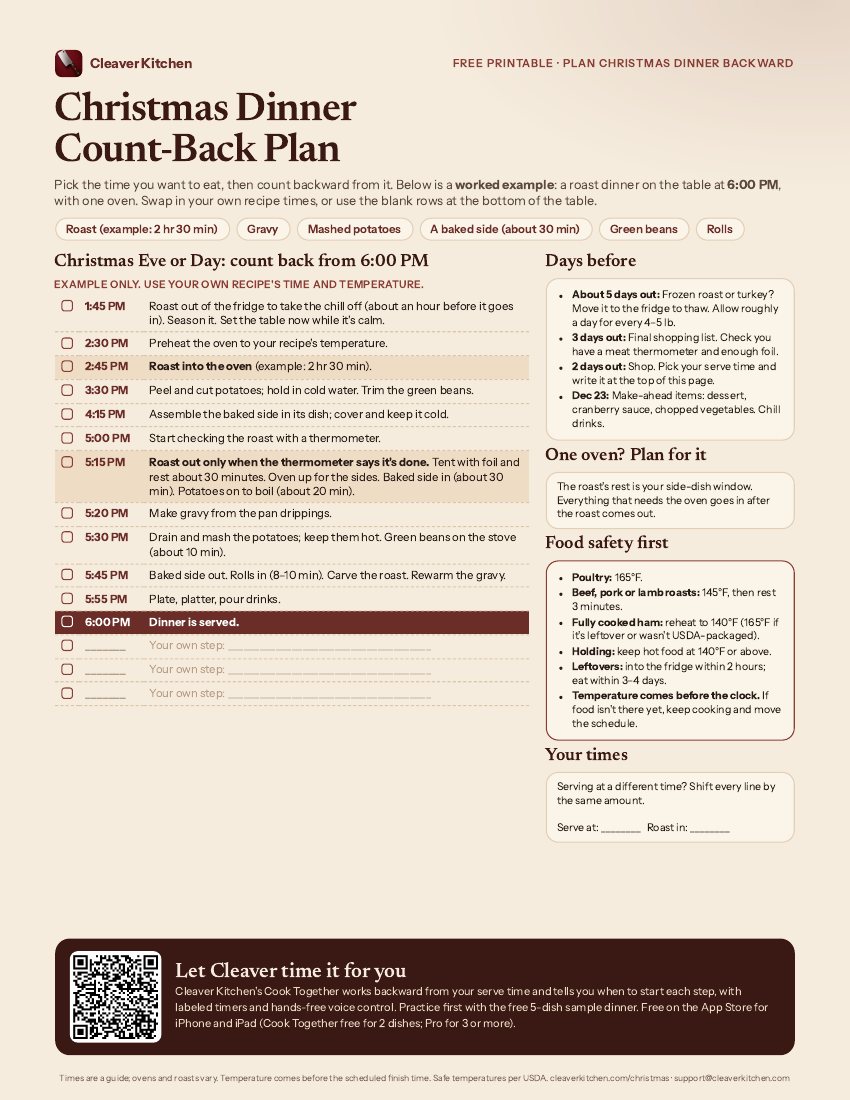
Pick the time you want to eat, then count backward. Our free one-page Christmas Dinner Count-Back Plan shows a worked example for a roast dinner served at 6 PM with one oven, plus a days-before checklist, safe-temperature reminders and blank rows for your own menu.
Download the free PDF Get Cleaver KitchenNo email needed. Letter size, prints in color or black and white.
How to count back
- Start with the serve time. Write it at the top of the page.
- Work from your longest step. Put the roast, ham or main in first, with its rest, and count back from there.
- Fit the sides around the oven. The roast's rest is your side-dish window when you only have one oven.
- Let temperature beat the clock. If the food isn't there yet, keep cooking and move the schedule.
Let Cleaver time it for you
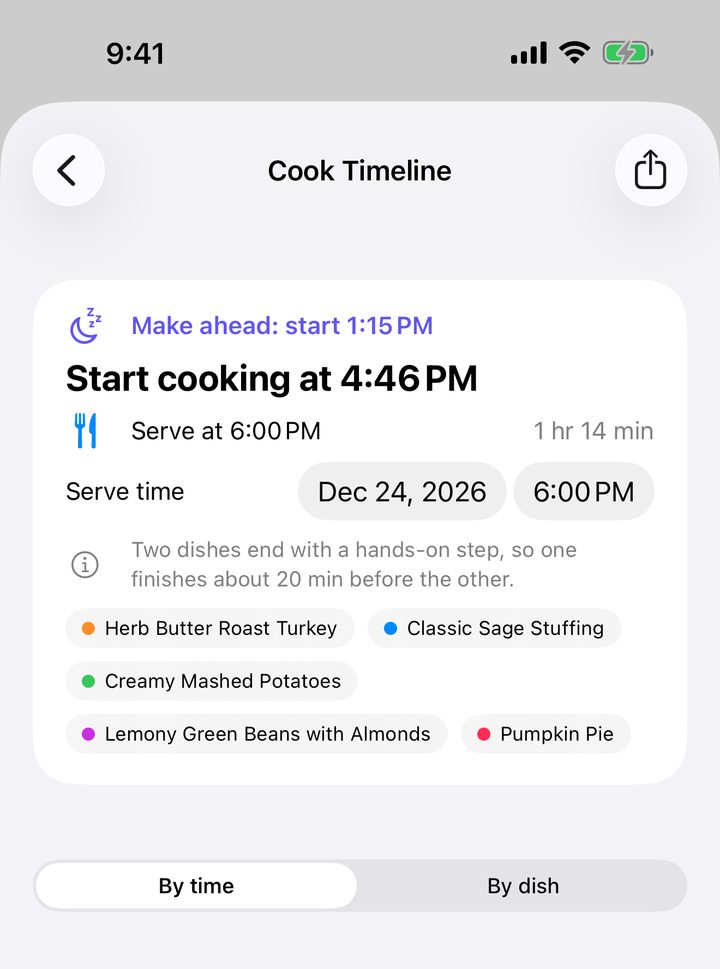
Your menu won't match our example. Cleaver Kitchen's Cook Together takes your own recipes and a serve time and builds one timeline that works backward from your serve time and tells you when to start each step, with labeled timers and hands-free voice control.
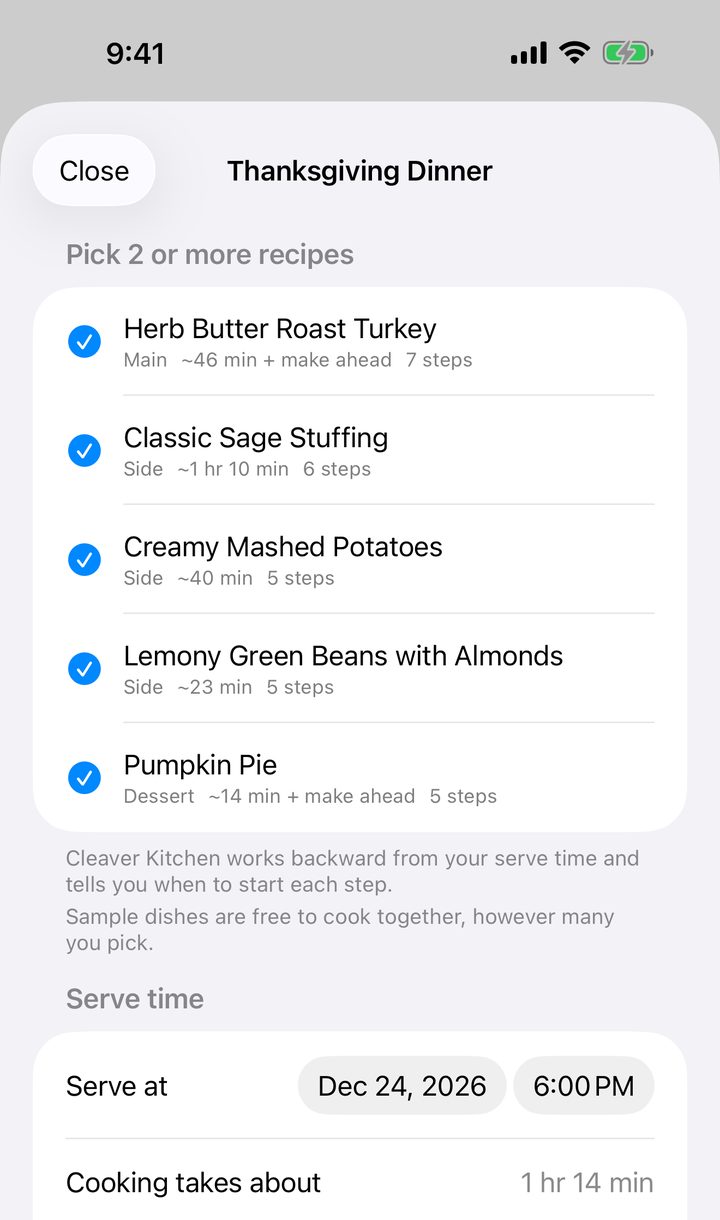
- Practice first, free. Open the 5-dish sample dinner in the app and set it to serve at 6 PM on Dec 24. It's a Thanksgiving menu, but the timeline works the same way for any serve time.
- Add your recipes. Import from a link, a photo of a recipe page, or a Pinterest pin.
- Set your serve time. Cook Together builds the timeline. Free for 2 dishes; Cleaver Pro for 3 or more.
- Make ahead. Steps like "refrigerate overnight" are scheduled the night before and marked Make Ahead.
After Christmas
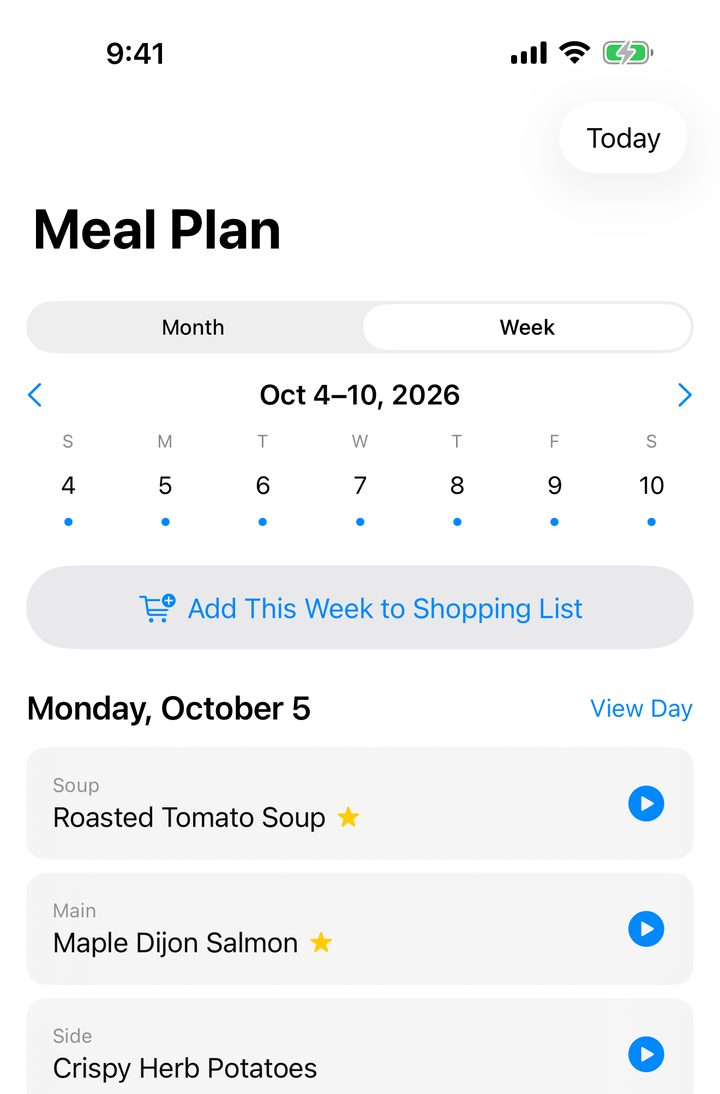
Planning the week of leftovers? Add any recipe to your Meal Plan from its page, use the Week view to lay out the days, and send the ingredients to one shopping list grouped by aisle.
- Free: voice control, recipe import, Meal Plan, aisle-grouped shopping list, multiple timers
- Works on iPhone and iPad with free iCloud sync
- Questions? [email protected]